Accidentally deleted important photos or moving to a new phone? Dr.Fone: Photo & Data Recovery by Wondershare combines several useful phone-management tools, including deleted photo recovery, data transfer, WhatsApp transfer, system repair and photo enhancement.
Dr.Fone is designed for common smartphone problems. It can attempt to recover deleted photos, videos, contacts and files, while its transfer tools help move data when changing phones.It also includes WhatsApp transfer, AI photo enhancement, privacy storage and Android system repair.
Testing Setup & Our Experience
We tested Dr.Fone on a Samsung Galaxy A55 5G running Android 15, focusing on photo recovery, phone-to-phone transfer, WhatsApp tools, photo enhancement and device-management features.
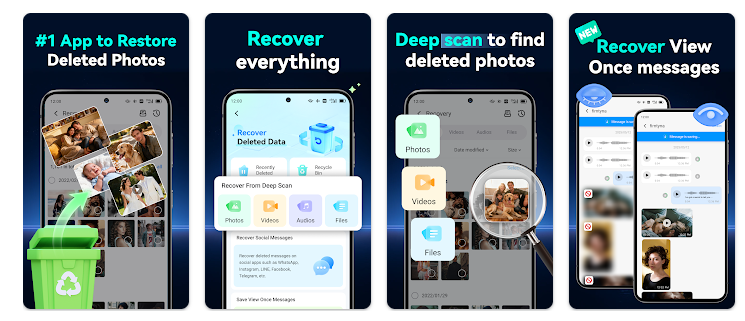
We first tested the recovery section to see how the app scans for potentially recoverable files. The process was straightforward, but recovery results depend on the device and whether deleted data is still available.
We also tested the transfer workflow between Android phones. The app provides guided steps for moving photos, videos, contacts and other files. Transfer speed depends on the devices and connection.
The interface was easy to navigate, although some advanced functions require payment.
Best Features
1. Deleted Photo Recovery
The app can attempt to recover recently deleted photos, videos, contacts, audio and other files when the data remains recoverable.
2. Phone-to-Phone Transfer
Dr.Fone can help move photos, videos, contacts, messages and other files when switching to a new phone.
3. WhatsApp Transfer
The app supports transferring WhatsApp and WhatsApp Business data, including chats and media.
4. AI Photo Enhancer
The photo enhancement tool can improve certain blurry or low-resolution images.
5. System Repair
Dr.Fone provides guided tools for certain Android problems, including system crashes and boot issues.
6. Privacy Space
Users can store private photos and videos inside a protected space.
App Details
- Category: Tools
- Developer: Wondershare
- Downloads: 10M+
- Price: Free with in-app purchases
Is Dr.Fone Worth Downloading?
If you are searching for a deleted photo recovery app, Android data recovery tool, phone transfer app or WhatsApp transfer solution, Dr.Fone is worth considering.
It is particularly useful when switching phones, accidentally deleting files or moving important data to another device.
However, deleted data cannot always be recovered. Results depend on the phone and condition of the deleted files. Advanced features may also require payment.
Download from Google Play Store
Quick FAQ
Can Dr.Fone recover deleted photos?
It can attempt to recover deleted photos and videos when they remain available for recovery.
Can I transfer data to a new phone?
Yes. The app supports transferring several types of phone data.
Does it support WhatsApp?
Yes. WhatsApp and WhatsApp Business transfer tools are available.
Is Dr.Fone free?
The app is free to install but includes in-app purchases.
TipZoom Verdict
Dr.Fone is a useful all-in-one tool for users dealing with deleted photos, phone upgrades, data transfers and Android troubleshooting.
Our testing on the Samsung Galaxy A55 5G showed a straightforward interface and guided workflows. Its biggest advantage is combining several phone-management features in one application.
The main limitation is that data recovery is not guaranteed, particularly when deleted files have already been overwritten. Some advanced tools also require payment.
For users looking for photo recovery, Android data recovery or phone-to-phone transfer, Dr.Fone provides a convenient collection of tools worth exploring.
Final Scorecard
Ease of Use: 4.4/5 — Simple guided workflows.
Recovery: 4.3/5 — Useful, but results depend on the device.
Data Transfer: 4.6/5 — Convenient for switching phones.
Features: 4.8/5 — Wide range of phone-management tools.
Value: 4.1/5 — Useful free features with paid options.
Overall TipZoom Score: 4.4/5 — A feature-rich Android data recovery and phone transfer app for users who need help recovering files, moving phone data or managing smartphone problems.