Are you looking for a simple, hassle-free way to type in Malayalam without wrestling with a complicated on-screen keyboard? Malayalam Voice to Text is a highly efficient tool designed for people who prefer the ease of speaking over the chore of typing. Whether you are sending a long, heartfelt message or a quick update, this app instantly converts your spoken words into accurate text.
Classified as a great productivity tool, the app was developed by Mohammed Mansoor to solve a common problem for regional language speakers. Unlike standard keyboards that require tedious manual typing and a deep knowledge of layout keys, this software focuses entirely on smart voice recognition. It serves as a brilliantly lightweight alternative for anyone who finds traditional typing difficult or time-consuming.
The smart technology inside is finely tuned to catch the unique nuances and accents of the spoken Malayalam language. This high level of precision means you spend much less time correcting mistakes and more time sharing your thoughts. It makes communication feel natural, welcoming, and easy for users of any age group.
Beyond typing, the app is built for quick sharing on modern social platforms. Once it turns your voice into text, you can send it to messaging apps or email with a single click. It is the perfect tool for busy creators, professionals, and students who want to communicate fluently and save time every single day.
Best Features of Malayalam Voice to Text
- One-Touch WhatsApp Sharing: The app features a dedicated button to send your converted text directly to WhatsApp, saving you the hassle of copying and pasting.
- Floating Quick Ball: You can enable a floating shortcut that stays on your screen, allowing you to access voice conversion quickly while using other apps.
- Lengthy Voice Conversion: Unlike some basic voice tools, this app is optimized to handle longer sentences and paragraphs, making it ideal for drafting long messages or notes.
- Simple Interface: The design is minimal and user-friendly; you just tap the microphone icon and start speaking.
- No Data Syncing: To ensure privacy, the app does not save or sync the voice or text it processes on its servers.
App Statistics & Ratings
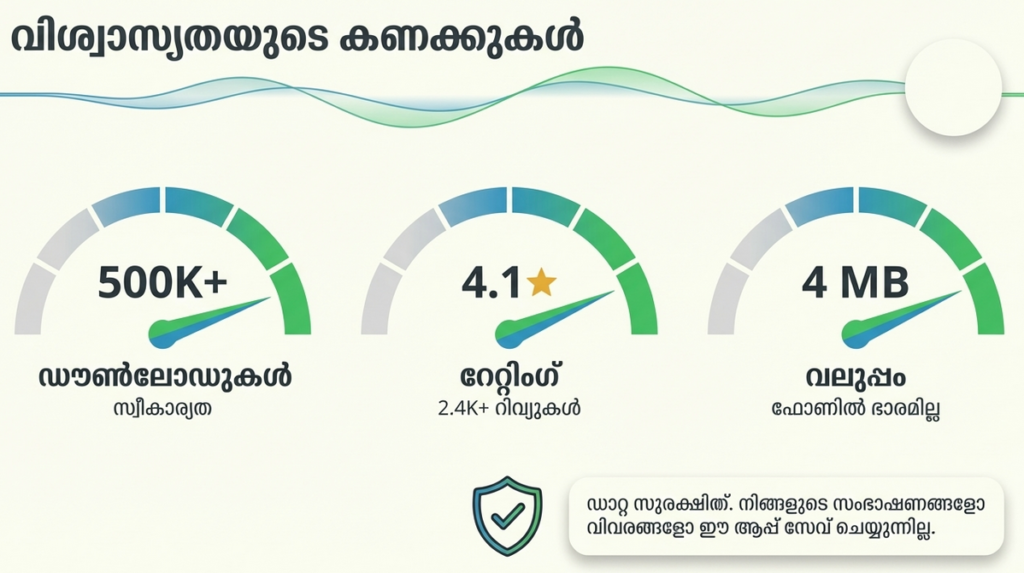
| Platform | Rating | Total Reviews | Downloads |
| Google Play Store | 4.2 / 5 | 2,400+ | 500,000+ |
Performance Review: Is the App Fast?
- Storage: The app is very compact and lightweight, ensuring it doesn’t slow down your device or take up much internal storage.
- Data Usage: It requires a stable internet connection for the voice engine to function, but it uses very little data for text processing.
- Accuracy: The app provides high precision in converting regional accents into formal Malayalam script.
- Tip: Speak clearly and try to avoid long pauses, as the voice engine may interpret a silence as the end of your sentence.
| Feature | Malayalam Voice to Text | Standard Keyboards |
| Primary Use | Hands-free Typing | Manual Typing |
| Speed | Very Fast (Dictation) | Moderate (Key presses) |
| Accessibility | High (Floating ball/One-tap share) | Low (Switching keyboards) |
Important Usage Tips
- Clarity Matters: For the best results, speak at a natural pace. Avoid high-background-noise environments which can interfere with the microphone.
- Check Corrections: While the conversion is highly accurate, always do a quick read-through of the text before sending it to ensure names or specific slang terms are correct.
- Privacy: The app may share device IDs for advertising purposes, but the developer states that no personal audio data is collected or stored.
How to Use (Step-by-Step)
- Download: Install the app from the official Google Play Store link below.
- Permissions: When you first open the app, allow permission to access your microphone.
- Speak: Tap the microphone icon and speak your message in Malayalam.
- Share or Copy: Once the text appears, use the “WhatsApp” icon for direct sharing or the “Copy” icon to use the text in any other application.
Frequently Asked Questions (FAQ)
1. Does it work offline?
No, a data or Wi-Fi connection is required to process the voice-to-text conversion accurately.
2. Can I convert English and Malayalam at the same time?
The app is specifically optimized for Malayalam speech to ensure the highest accuracy for the language script.
3. Is there a limit to how much I can speak?
The app supports lengthy conversions, but it is best to speak in paragraphs rather than one continuous hour-long stream.
Download Official Version
To ensure you have the latest features and security updates, always download from the official source:
For Android: Download from Google Play Store
Final Verdict:: The TipZoom Review
Malayalam Voice to Text is an excellent utility for anyone who wants to communicate in their native language without the struggle of a mobile keyboard. It is particularly useful for elders, students, and professionals who need to draft messages quickly.
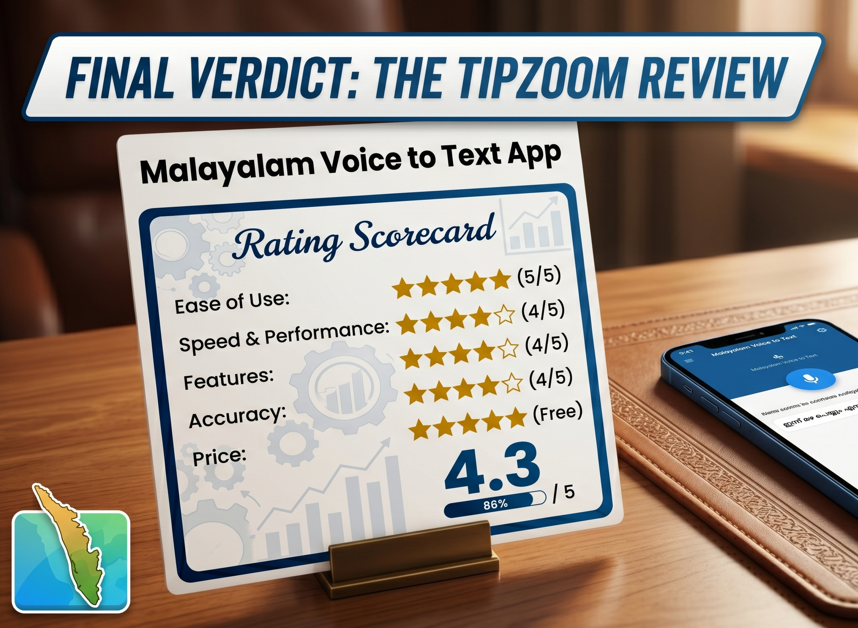
Rating Scorecard:
- Ease of Use: ★★★★★ (5/5)
- Speed & Performance: ★★★★☆ (4/5)
- Features: ★★★★☆ (4/5)
- Accuracy: ★★★★☆ (4/5)
- Price: ★★★★★ (Free)
- Overall Score: 4.3 / 5