Have you ever come across a video on social media that you wanted to save for offline viewing, only to find there’s no “download” button? Whether it’s a tutorial, a funny clip, or a recipe, keeping a local copy can be surprisingly difficult.
Video Downloader by InShot Inc. aims to solve this problem with a simple, all-in-one solution.Video Downloader is a powerful utility app designed to auto-detect videos from websites and social media platforms, allowing you to download them with a single click. Developed by InShot Inc., a giant in the mobile utility space, this app focuses on being a “universal” downloader that eliminates the need for multiple site-specific tools.
What sets this app apart from competitors is its integrated ecosystem. It doesn’t just download files; it includes a built-in browser to find media, a powerful download manager to pause/resume transfers, and an integrated player to watch your content without leaving the app. It’s designed to be a seamless bridge between the web and your phone’s gallery.
Best Features of Video Downloader
- Auto-Detect & One-Click Download: Automatically identifies video links as you browse the web, making the saving process near-instant.
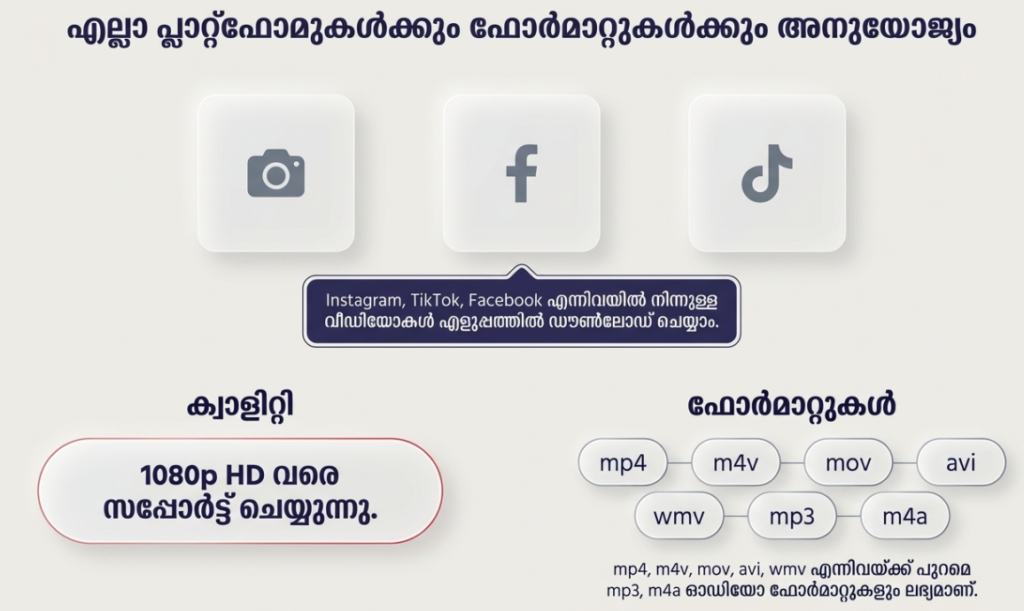
- Multi-Format Support: Handles everything from MP3 and MP4 to high-definition formats like MOV, AVI, and WMV.
- Powerful Download Manager: Allows you to pause, resume, and remove downloads, even while processing multiple files in the background.
- Built-in Private Browser: Lets you navigate sites anonymously and bookmark your favorite video sources.
- Password-Protected Folder: Provides a secure space within the app to hide your downloaded videos from prying eyes.
App Statistics & Ratings Table
| Platform | Rating | Total Reviews | Downloads |
| Google Play Store | 4.6 / 5 | 2.1M+ | 100 Million+ |
| Apple App Store | N/A | N/A | N/A |
Performance Review: Is the App Fast?
- Storage: The app is incredibly lightweight (approx. 10-15MB), making it ideal for phones with limited storage space.
- Data Usage: Highly optimized; it allows you to choose the video resolution (e.g., 360p vs 1080p) before downloading to help save mobile data.
- Battery/Accuracy: The background download feature is efficient and doesn’t cause significant battery drain, though downloading large 4K files will naturally use more power.
TipZoom Advice: To get the fastest speeds, always ensure you are on a stable Wi-Fi connection and clear your app cache weekly to keep the built-in browser running smoothly.
Feature Comparison: Video Downloader vs. SnapTube
| Feature | Video Downloader (InShot) | Typical Competitor (e.g. SnapTube) |
| Play Store Availability | Yes (Safe & Verified) | No (Requires APK) |
| Private Folder | Yes (Built-in) | Varies |
| Auto-Detect Links | Excellent | Average |
| Background Downloads | Supported | Supported |
Important Safety/Usage Warning
- Copyright Compliance: Only download videos that are in the public domain or for which you have permission. Unauthorized downloading of copyrighted material is illegal.
- Avoid Fake Ads: Free downloaders often show ads that look like “System Warnings.” Never click on these; they are external ads and not part of your phone’s system.
- Login Security: If you use the internal browser to log into social media, ensure you have Two-Factor Authentication (2FA) active on your accounts for extra safety.
How to Install/Use (Step-by-Step)
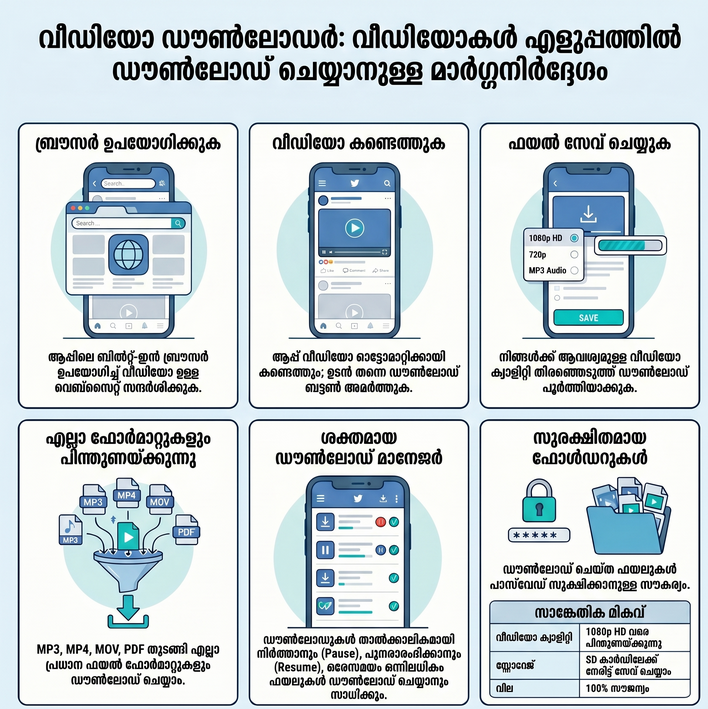
- Download: Install the app from the official Google Play Store link below.
- Browse: Use the built-in browser to visit your favorite video site or paste a specific URL.
- Detect: Wait for the app to recognize the video; a red “Download” button will appear.
- Save: Choose your preferred resolution and tap download. Your video will appear in the “Progress” or “Finished” tab.
Frequently Asked Questions (FAQ)
Q: Can I download videos from YouTube?
A: No. Due to Google’s Play Store policies and YouTube’s Terms of Service, video downloading from YouTube is not supported.
Q: Can I download videos in the background?
A: Yes, you can start a download and continue using other apps; the progress will show in your notification bar.
Q: Is the “Private Folder” encrypted?
A: It is a password-protected area within the app, but it is not a system-wide encrypted vault. If you uninstall the app, the data may be lost.
Final Verdict: The TipZoom Review
Video Downloader by InShot Inc. is the gold standard for users who want a reliable, “no-fuss” way to save social media clips and web videos. While its lack of YouTube support (due to legal reasons) is a downside, its speed, built-in browser, and folder security make it a must-have utility for Android users.
TipZoom.in Rating Scorecard
- Ease of Use: ⭐⭐⭐⭐⭐ (5/5)
- Speed & Performance: ⭐⭐⭐⭐☆ (4.5/5)
- Features: ⭐⭐⭐⭐⭐ (5/5)
- Safety: ⭐⭐⭐⭐ (4/5)
- Price: ⭐⭐⭐⭐⭐ (5/5)
Overall TipZoom Score: 4.7 / 5